Understanding Server Management Concepts
What is Server Management?
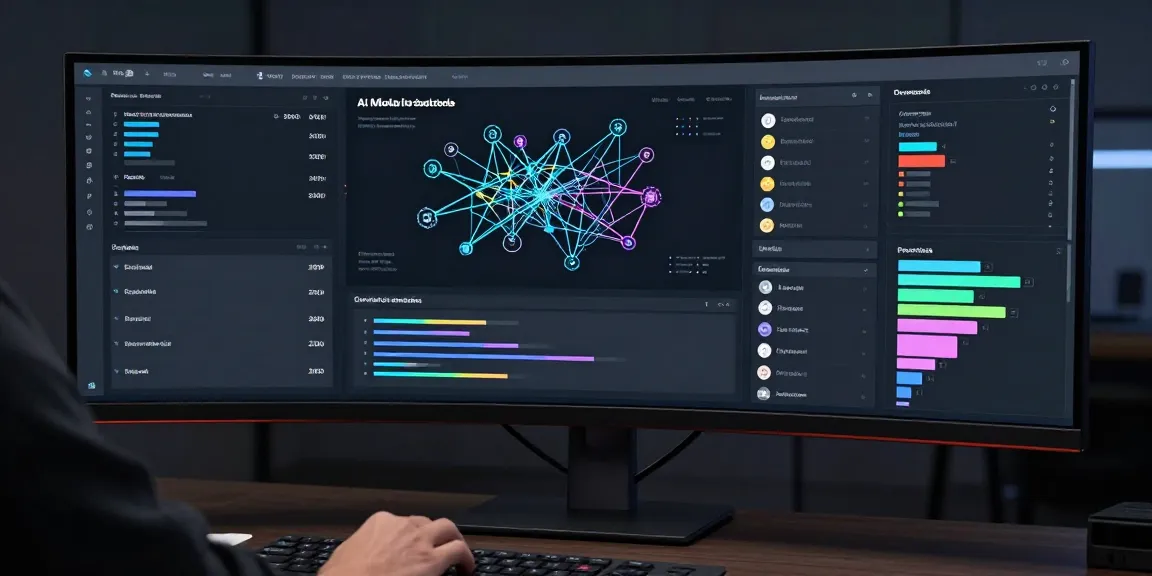
Server management refers to the processes and activities involved in maintaining and optimizing servers to ensure they operate at peak performance and reliability. This encompasses a wide range of tasks including the installation, configuration, monitoring, and maintenance of server hardware and software components. Effective server management is crucial for businesses as it directly impacts operational efficiency, data integrity, and system security.
Importance of Server Management in IT
The significance of server management in the IT landscape cannot be overstated. As organizations increasingly rely on digital infrastructures, the effective management of servers becomes a cornerstone for operational success. Poor server management can lead to various challenges such as downtime, security breaches, and data loss, ultimately resulting in financial losses and reputational damage.
Additionally, with the proliferation of cloud computing and virtualization technologies, organizations face a more complex array of server management tasks. Ensuring consistent performance across both physical and virtual environments requires sophisticated management strategies that are adaptable to changing workloads and evolving technologies. This importance highlights the necessity for IT departments to prioritize proactive server management practices and invest in appropriate tools and training.
Key Components of Server Management
Several key components comprise the foundation of server management, each playing a vital role in ensuring optimal performance and security. These components include:
- Configuration Management: Keeping an inventory of server configurations and settings ensures standardization and facilitates troubleshooting.
- Monitoring: Continuous monitoring of server performance metrics allows for early detection of potential issues, helping to mitigate risks before they escalate.
- Backup and Recovery: Regular data backups and an effective disaster recovery plan are essential for protecting data integrity and ensuring business continuity.
- Security Management: Implementing security measures such as firewalls and intrusion detection systems protects against unauthorized access and data breaches.
- Patching and Updates: Keeping server software and operating systems updated minimizes vulnerabilities and enhances overall performance.
Best Practices for Server Management
Regular Monitoring and Maintenance Techniques
To maintain the health of servers, regular monitoring and maintenance are critical. Implementing systematic approaches, such as scheduled health checks and performance assessments, can help identify and rectify issues before they affect business operations. Key techniques include:
- Automated Monitoring Tools: Leverage automation to continuously track system metrics (CPU usage, memory utilization, etc.) and trigger alerts for any anomalies.
- Routine Maintenance Schedules: Establish consistent maintenance windows for updates, patching, and physical inspections, ensuring any necessary service is conducted without disrupting productivity.
- Log Management: Regularly review and analyze server logs for unusual activities or errors that might indicate underlying problems.
Implementing Security Protocols
Security should be a top priority in server management to safeguard sensitive information and maintain system integrity. Effective strategies include:
- Access Controls: Implement robust user permission protocols to ensure that only authorized personnel can access critical systems.
- Intrusion Detection Systems: Utilize IDS tools to monitor networks for suspicious activities and possible breaches.
- Regular Security Audits: Conduct routine security assessments to evaluate the effectiveness of security measures and identify vulnerabilities.
Strategies for Troubleshooting Server Issues
Even with stringent monitoring and maintenance, server issues may arise. Having effective troubleshooting strategies can minimize downtime and ensure rapid recovery:
- Documented Procedures: Create and maintain thorough documentation for troubleshooting steps, known issues, and previous resolutions to expedite future problem-solving.
- Use of Diagnostics Tools: Invest in diagnostic tools that can quickly pinpoint hardware and software issues, enabling prompt corrective actions.
- Team Collaboration: Foster communication between IT team members, encouraging collaboration to solve complex server issues collectively.
Tools and Software for Server Management
Evaluation of Server Management Software
Selecting the right tools for server management is integral to maintaining efficiency. Evaluation criteria should include:
- Functionality: Ensure the software provides comprehensive monitoring, management, and reporting functionalities.
- Scalability: The tool should be capable of supporting the organization's growth and accommodating additional servers as needed.
- User-Friendliness: Look for intuitive interfaces that enable quick learning and ease of use for IT staff.
- Integration: Opt for software that integrates well with existing systems and applications to streamline workflows.
Open Source vs Proprietary Tools
Choosing between open source and proprietary server management tools depends on organizational needs and resources:
- Open Source: Often more flexible and customizable, open-source tools generally come at lower or no cost. However, they may require more technical expertise to implement and maintain.
- Proprietary: These tools typically offer robust support and user-friendly interfaces, but at a premium price. Organizations must evaluate the total cost of ownership alongside the potential benefits.
Integrating Automation in Server Management
Automation can greatly enhance the efficiency of server management practices. Key benefits include:
- Proactive Management: Automated monitoring solutions can identify and resolve issues in real-time, reducing manual intervention.
- Task Scheduling: Routine tasks such as backups and updates can be scheduled to run at specific times, minimizing disruption to users.
- Consistency: Automation helps maintain consistent processes across the server environment, ensuring that best practices are uniformly applied.
Performance Metrics in Server Management
Key Performance Indicators (KPIs) to Track
Monitoring key performance indicators (KPIs) is essential for evaluating server health and effectiveness. Common KPIs to track include:
- CPU Utilization: Measures the percentage of time the processor is busy, providing insights into resource usage and potential bottlenecks.
- Memory Usage: Tracking RAM utilization helps identify when additional resources are needed or when applications may be using memory inefficiently.
- Disk I/O: Monitoring read and write speeds on disks can indicate performance issues that may need attention.
Assessing Server Health and Performance
Regular assessments of server performance contribute to long-term reliability. Techniques include:
- Performance Baselines: Establish baselines for performance metrics to facilitate comparisons over time and identify deviations early.
- Resource Allocation Reviews: Regularly evaluate resource allocations to ensure systems are not over or under-provisioned.
- Capacity Planning: Conduct assessments to predict future resource needs based on current usage trends.
Reporting and Analyzing Server Data
Generating reports and analyzing server data provides critical insights into operations and facilitates informed decision-making. Key practices include:
- Custom Reporting: Utilize tools that allow for tailored reporting to focus on specific metrics or issues relevant to the organization.
- Trend Analysis: Evaluate trends over time to identify long-term patterns that may affect server performance or availability.
- Actionable Insights: Use analyzed data to inform strategy adjustments, maintenance scheduling, or resource allocation to enhance performance.
Future Trends in Server Management
Cloud-Based Server Management Solutions
As cloud technology advances, organizations are increasingly adopting cloud-based server management solutions for their flexibility and scalability. Benefits of cloud-based management include:
- Centralized Management: Cloud solutions allow for the management of distributed server environments from a single platform.
- Scalability: Businesses can easily scale resources up or down based on demand without the need for physical hardware changes.
- Cost-Effectiveness: Cloud-based management can reduce upfront investments in hardware and specialized software, translating into lower operational costs.
The Role of AI in Enhancing Server Management
Artificial Intelligence (AI) is increasingly being leveraged to optimize server management processes. Applications of AI in this field include:
- Predictive Analytics: AI can analyze historical data to predict server failures or performance degradation, enabling preemptive maintenance.
- Automated Incident Response: AI-driven tools can automatically address certain issues, thereby minimizing downtime and improving response times.
- Enhanced Security Measures: AI algorithms can identify patterns in data that indicate security threats, allowing for immediate action to mitigate risks.
Adapting to Emerging Technologies
As technology continues to evolve, server management must adapt to emerging trends such as edge computing, IoT environments, and increased reliance on automation. Strategies for adapting include:
- Continuous Learning: IT professionals should engage in ongoing training and education to stay updated with the latest advancements in server management.
- Flexible Infrastructure: Invest in architectures that can integrate new technologies seamlessly and scale with growing demands.
- Community Engagement: Engage with relevant industry communities, forums, and workshops to share insights and learn from peers.